Blog / Home / HL-059 ·

Sow Now
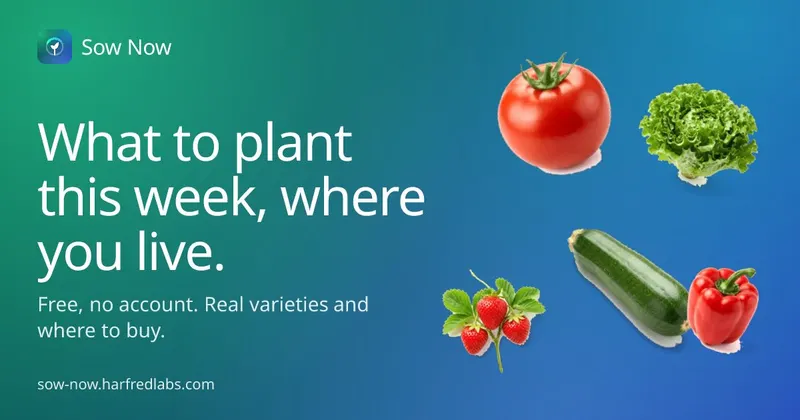
What to plant this week, where you live. The only calendar that knows your backyard is colder than the brochure.
- App
- Home
- Live Oct 2026
- Web
What it is (besides permission to buy more seeds)
Sow Now answers the question every gardener asks on a Saturday morning: what can I actually plant this week? Tell it where you grow, then answer a handful of tap-once questions. What do you want to grow? How much space and sun have you got? Seeds or seedlings? How long will you wait, and how hands-on are you? After every tap, the plants behind the quiz shuffle until only the ones that suit you, and can go in the ground this week in your climate, are left.
It works anywhere. The planting calendar comes from your location's real monthly temperatures, not a one-size-fits-the-country chart. Every pick says why it made the list. Add as many as you like to My patch, your planting list, then print the plan or share it.
Then it helps you grow the things. There's weekly garden care drawn from your forecast, frost alerts, and reminders to sow the next round of lettuce before the last one bolts. You can sketch a garden bed from a photo, lay out a group of pots, and print plant tags on sheets, as a PDF or for a label maker. Behind it all sit 173 crops, each with its botanical name, mature height and growing habit.
Who it's for (soil under the fingernails optional)
New gardeners who have stood in a nursery aisle holding a punnet of something and no plan. Keen gardeners who know what they like but never remember when to sow it. And anyone who has planted tomatoes too early, watched them sulk for a month, and blamed the tomatoes. It's free and needs no account. Shop links may earn a commission, and they never change the ranking.
How it was built
Sow Now is a web app built with Next.js, a popular framework for React websites, and shipped through App Factory, the lab's own platform. The written plan came first: a build spec covering the quiz, the look ("seed packet on stone", with grey stone tones and the produce supplying all the colour) and three deliberate rules for the quiz. You can pick several results, there's a visible progress count, and going back keeps your later answers.
The biggest job turned out to be the art. Every crop has a painting, and most popular crops have a painting for each variety: dozens of chillies, lettuces, peas and sweetcorn, all in one house style. AI agents painted them in batches, then repainted the ones that failed review, wave after wave. The same paintings feed printable posters and a Sowing Clock poster, so a bad tomato doesn't just look wrong on screen. It looks wrong framed on someone's wall.
Lessons learned
- Turn every rejection into a written rule. The painting guide opens by saying every rule in it came from a painting that was sent back, so the next batch can't make the same mistake.
- Make the AI write a checklist before it starts. Each crop gets a short anatomy checklist (where the fruit attaches, what the leaves look like, how the plant stands) before anything is drawn, and every painting is marked against it.
- "Better than before" is not a pass. A repaint that improves but still fails one line of the checklist counts as a fail, which stopped endless almost-right rounds.
- Ask what a stranger would call it. Hide the label and ask what the picture shows, because the AI once drew bean pods as okra, onions as beetroot and a cauliflower as a hooded figure.