Blog / Business / HL-026 ·

App Factory
The toolkit that builds and ships web, iPhone and Android apps. Idea in, app out, paperwork still yours.
- Service
- Business
- Live Aug 2026
- Web
- Lab pick
What it is (besides a very long checklist)
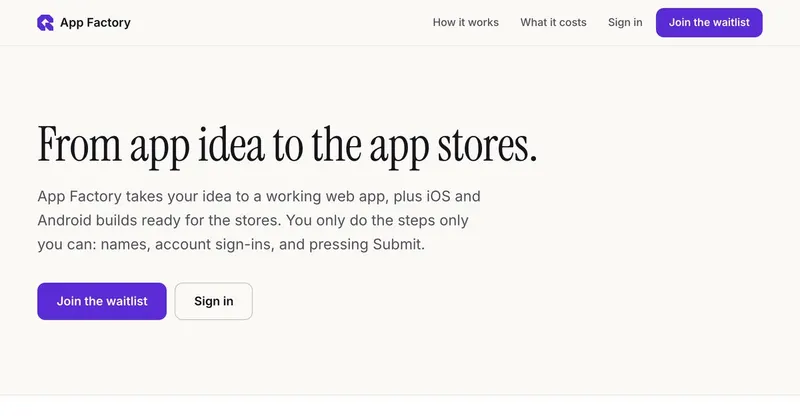
App Factory is a toolkit that takes an app idea to a working web app, plus iPhone and Android builds ready for the stores. You describe the app. It writes it, tests it in real browsers, puts it on the web and walks it to the edge of both app stores. The last two clicks are yours.
There are three ways in, which the docs call doors: a terminal command, a set of 27 tools an AI assistant can use, and a web portal. All three read the same 48-step plan, so they can't disagree about what's done. That plan is the heart of it. It says what's finished, what can run now and what only a human can do.
This page covers the public site: the landing page, the docs and the portal where you sign in and see your apps. The portal shows a setup checklist that ticks itself off, a build view, a publish screen and a simulator that shows your app changing as it's built.
Who it's for (provisioning profile not required)
People with an app idea and no wish to learn what a provisioning profile is. Mostly non-engineers directing an AI to build things, including people who've already tried and hit the wall of store paperwork.
It's upfront about costs. Apple's developer programme is US$99 a year. Google Play is US$25 once. Hosting runs about US$0 to 2 a month when idle, and a domain is optional. The docs put the first year at about US$124 plus hosting. App Factory never buys any of it for you, so at least it can't blow the budget.
How it was built
The site is one React build in three parts: the landing page, the portal and plain HTML docs. A small server serves it, stores waitlist signups and passes portal requests to the platform. Every setting is optional. If one is missing, that feature switches off instead of crashing.
The interesting part is the list of things the factory won't do. The docs call each one a decision, not an oversight:
- It never submits your app for review. There's no code for it, and a test searches the code to keep it that way.
- It never asks you to paste a password or key. You get a link, and the value goes straight into encrypted storage.
- It never buys anything, and it never picks your app's name or bundle ID. Those are reserved with Apple worldwide, so it asks.
iPhone builds run on Apple's own machines, since only macOS can build iPhone apps. Android builds run on your own GitHub account.
Lessons learned
- Check the AI's work by opening it. One early commit is titled "The portal renders, which it did not." The AI had reported a working portal; opening the real screens said otherwise.
- Turn your promises into tests. "Never submit an app for review" isn't only a line in the docs; a test scans the code in case anyone, human or AI, adds it later.
- Make failures explain themselves. After three bug reports that said only "blank", the page got a small script that shows words when the app fails to load, naming the kind of failure.
- Ask the tool for status instead of keeping your own list. A copied checklist goes stale the moment anything runs, so the docs tell people to ask the tool each time.