Blog / Business / HL-036 ·

Plumbline
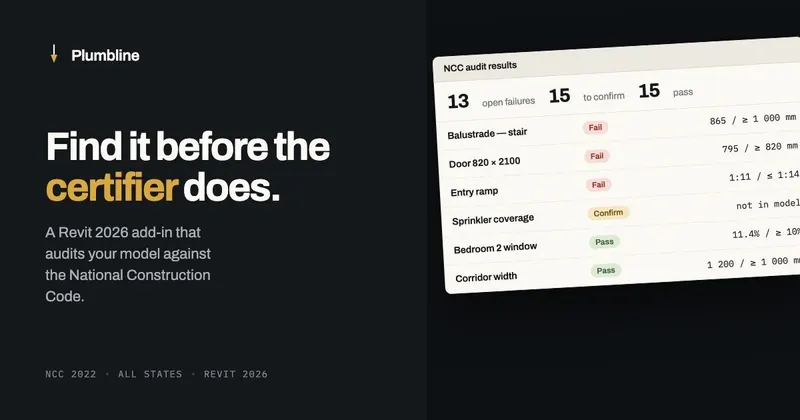
A Revit add-in that checks your model against the NCC. It finds the problem before the certifier does, and before your coffee goes cold.
- Service
- Business
- Live Aug 2026
- Web
What it is (a very polite nag)
Plumbline is an add-in for Revit 2024, 2025 and 2026. Revit is the software architects use to build a 3D model of a building. Plumbline reads that model and tells you where it doesn't meet the National Construction Code. Room by room. Door by door. Stair by stair. Then it shows you each problem in the model, and closes the ones a single setting can close.
It's a review aid. It is not a compliance certificate, and a clean report is not evidence of anything. The page says so, loudly. We respect that. A tool that admits it isn't the certifier is already more honest than most people at a site meeting.
Who it's for (people who hate surprises)
Architects and designers who would rather hear bad news from software than from a certifier. Also anyone who has stared at fourteen failing doors and wondered if that was fourteen problems or one.
How it works
Every check ends in one of three answers.
- Fail. The model says the threshold isn't met, with a number you can argue with.
- Inconclusive. The model can't answer, for example a door with no width recorded. This is never a silent pass.
- Pass. Met, within the limits of an approximation that is stated on every finding.
Findings are grouped by the change that closes them. Fourteen failing doors are usually two door types, so you get a short list, not a long one.
Fixes are limited on purpose. Sill heights, door widths and railing heights can be changed in a batch, with a count of how many other elements each change drags along, and the whole batch is one undo. It will never move a wall, re-tread a stair or re-grade a ramp. Those are design calls, and the architect still gets to be the architect.
Then it measures again. Nothing is marked closed just because a value was written. A finding that vanished because someone deleted the door is recorded as deleted, not fixed. Nice try.
Rules live in packs that name the clause behind every threshold. A pack from another state stays hidden, so a Victorian variation can't run on a Queensland job. It also reads the state, climate zone and wind region from the project location, so a rule that can't apply to your site never shows up.
Lessons learned
- Let the tool say "I can't tell". A third answer, Inconclusive, stops a missing value from quietly passing as a pass.
- Say up front what the tool won't do. Promising it will never move a wall makes everything else it does easier to trust.
- Show the blast radius before you change anything. Changing one door type changes every door of that type, so the count of affected doors appears first.